01 / AI TOOLS / DESKTOP
Pevrai
A personal assistant. Your decisions.
Pevrai is a Windows desktop application for working with AI models, local files and browser tools. It brings natural-language tasks into a permission-based workflow, with visible steps and approval requests for operations that require them.
01 / OVERVIEW & MOTIVATION
A concrete project. A specific problem.
The problem
AI conversations, model connections and document tools often live in separate applications. Switching between them makes it harder to follow what happened and which actions were permitted.
The motivation
Pevrai explores a desktop workspace in which a person can inspect the task, choose tools and retain control over actions involving their files.
EXISTING IMPLEMENTATION
More than a proposal.
An existing Python desktop application with a public source repository, provider adapters, a permission layer and a substantial web interface. The portfolio distinguishes inspected code from connected-service tests.
Code existence, a rendered interface and connected-service reliability are different levels of evidence. The sections below keep them separate.
02 / IMPLEMENTED IN SOURCE
What the project does.
These capabilities are represented in the inspected code and documentation. Isolated source UI demonstrations are labeled separately. Connected-service behavior was not revalidated here.
Multiple providers, one workflow
Provider adapters support Gemini, Anthropic and OpenAI-compatible services, including compatible local model servers. An ordered model chain can continue a task on another model when a quota limit is reached.
Documents and supervised tools
Read supported PDF, Word, PowerPoint, spreadsheet and CSV documents. Built-in file and browser tools work within configured permissions; journaled file operations support an undo workflow.
Agent teams and a thought network
Coordinate agents around a shared task and inspect their activity through an office view. Organize ideas, rules and files in a linked thought network. Local notes and workspace plugins extend the application.
User-selected tools and plugins
Enable the packages you need, configure permitted folders and classify external MCP tools. Disabled packages are excluded from the model’s available tools.
03 / ARCHITECTURE
How the pieces connect.
- LAYER 01
Desktop interface
A web-based interface is hosted in a pywebview window, with a Python bridge for application actions.
- LAYER 02
Task and provider layer
The task loop connects provider-neutral messages, model adapters and ordered model connections.
- LAYER 03
Tools and permission gate
File, document, browser and MCP calls pass through the application’s permission model; built-in file changes are journaled.
- 01
Define the task
Choose a model connection and describe a question or a task involving permitted documents and tools.
- 02
Inspect the steps
Follow tool results and approval requests as the assistant works through the task.
- 03
Review the result
Read the response, inspect generated files and use the journal for supported undo operations.
04 / DOCUMENTATION EVIDENCE
Choose the tools you need.
An existing capture from Pevrai’s project documentation, reviewed for public presentation.
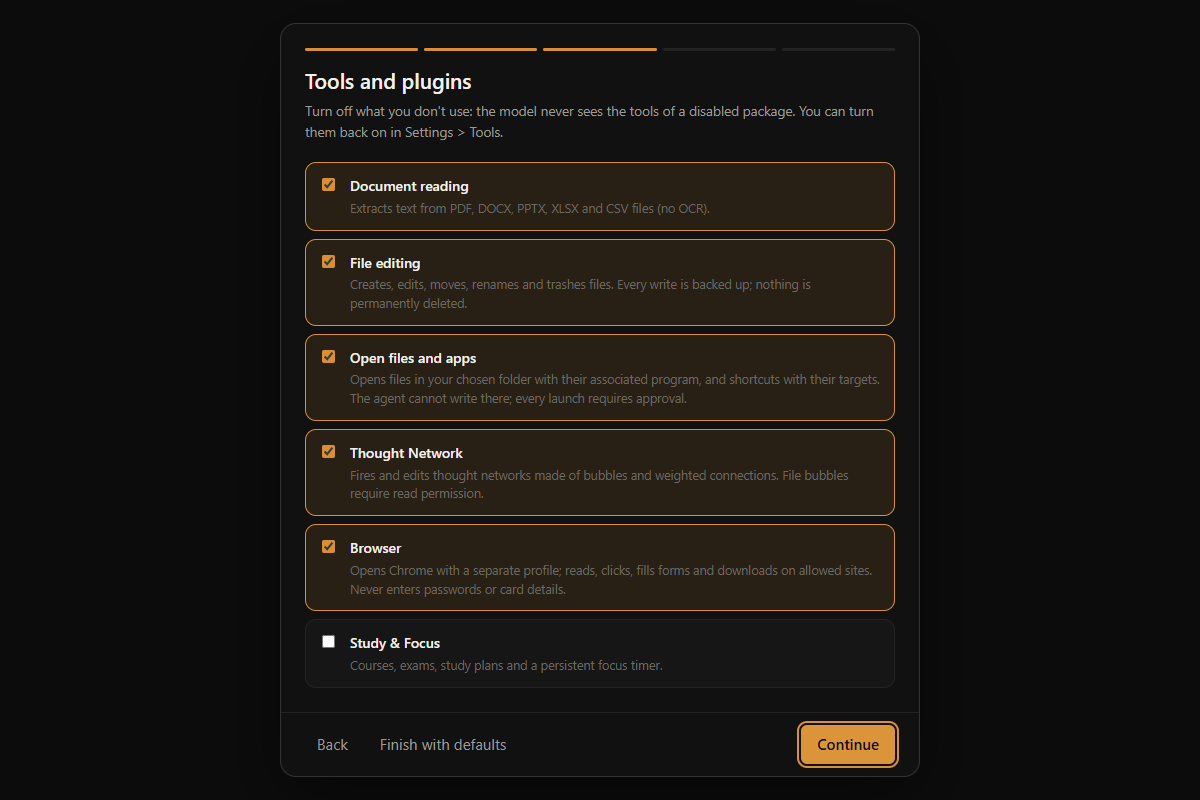
REAL DOCUMENTATION CAPTURE
A configurable workspace.
The setup screen separates optional tools into packages. Its labels and setup controls correspond to the application’s interface source.
Folder configuration is a separate step. Images containing filesystem paths were excluded from this presentation.
Read the project documentation (opens in a new tab)SELECTED PROJECT EVIDENCE
Existing code, visible in context.
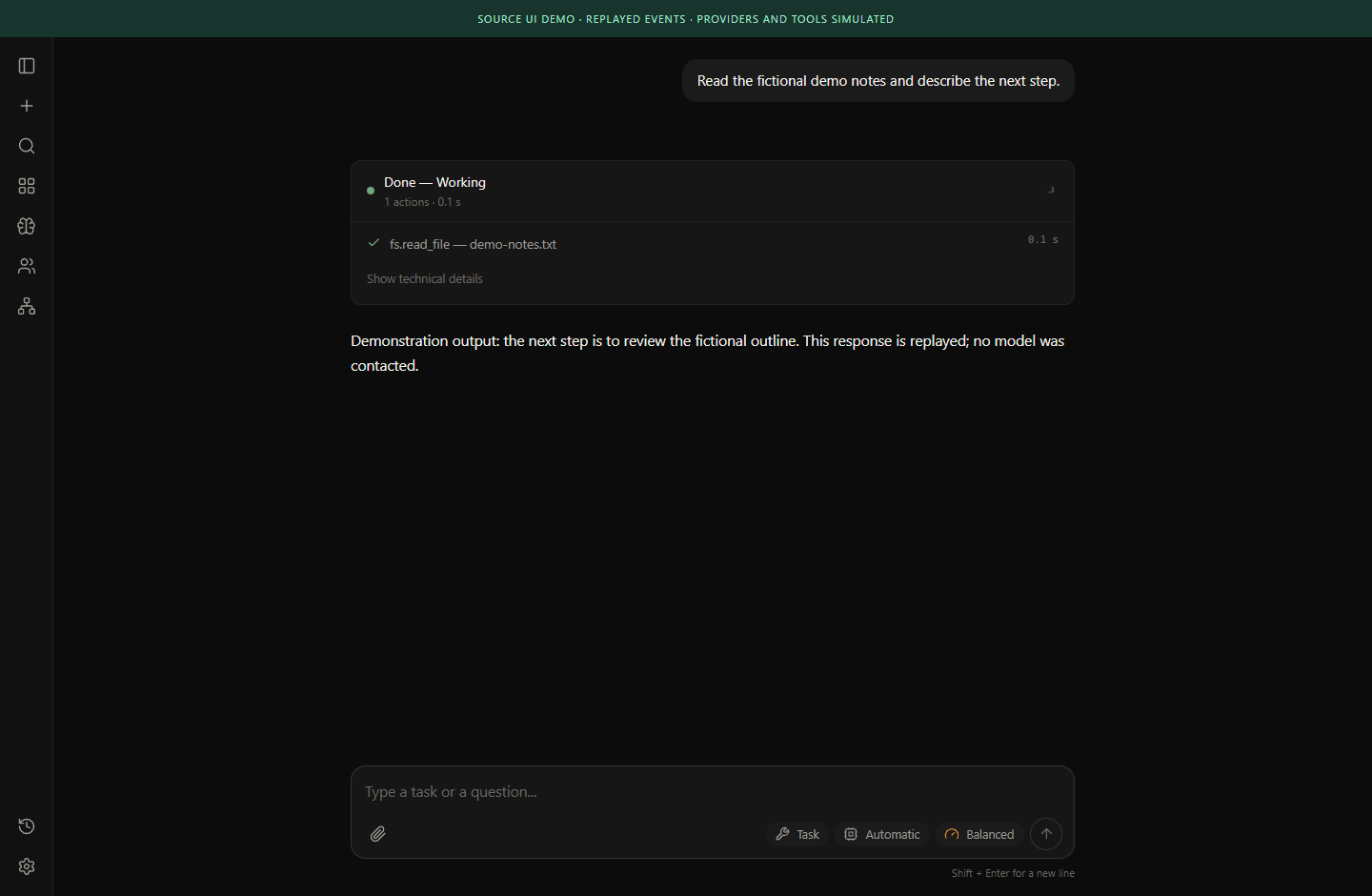
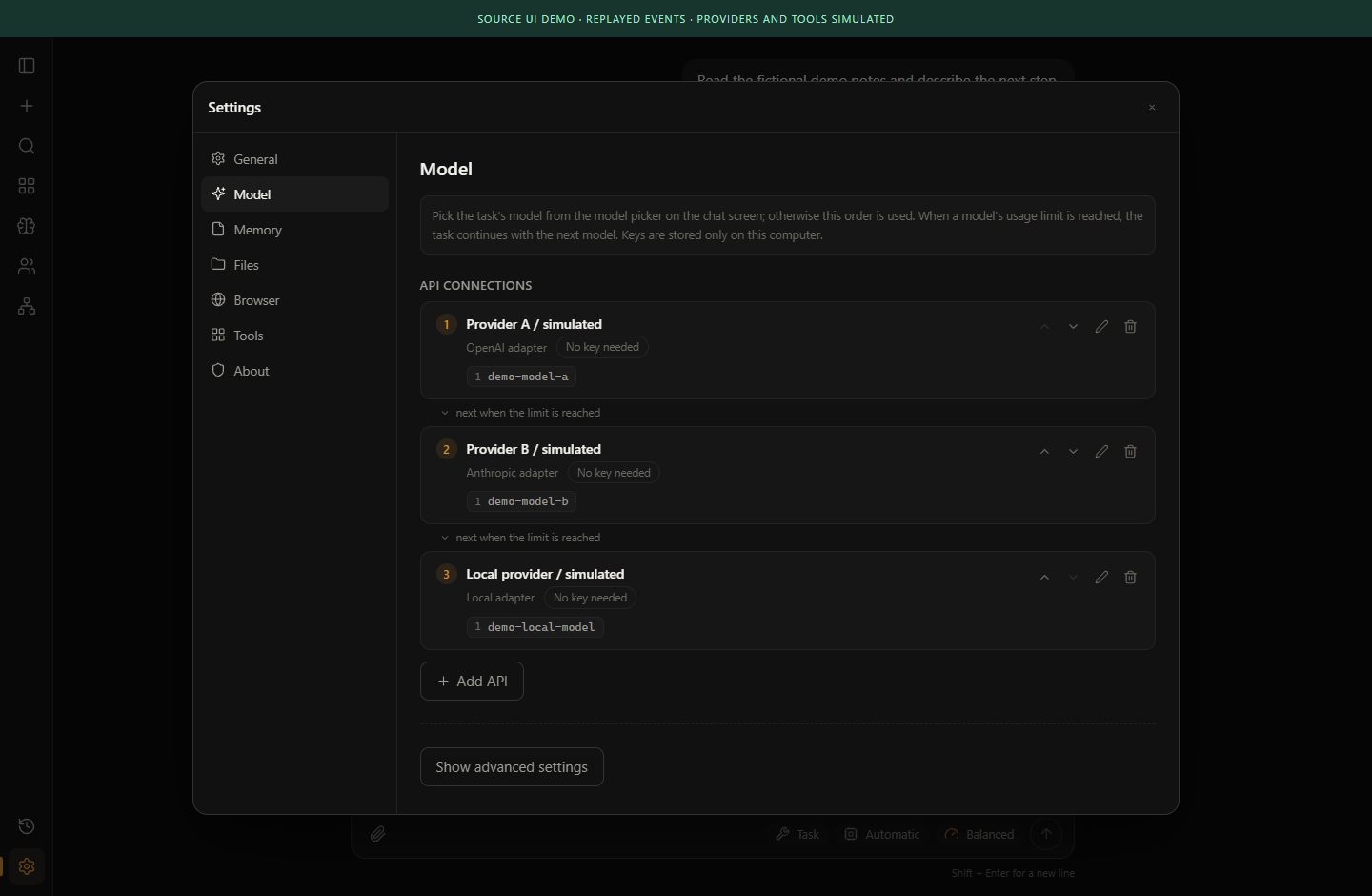
Captured from isolated copies of the actual project components. The demonstration conditions and limits travel with each image.
A file-tool workflow in the actual interface
Multiple connections, one workspace
05 / DEVELOPMENT STATUS
What exists. What is established.
A feature can be implemented in code while its connected behavior still requires verification.
Desktop and tool interfaces
Interface components, a Python bridge, setup flows and file-operation journaling are present. Source UI demonstrations use simulated services.
Provider and MCP combinations
Adapters and connection management exist. This review does not establish that every current provider, model or external tool works together.
Packaging and release acceptance
The October maintenance plan identifies clean installation, upgrade and release verification as separate acceptance work.
Broader autonomy
A tool interface and model connection do not establish reliable autonomous performance across arbitrary tasks.
06 / ENGINEERING CHALLENGES
The difficult parts are part of the work.
A permission that means something
A tool request needs an understandable scope, a meaningful approval boundary and a result the user can inspect.
Continuity without hidden state
Provider changes, quotas and tool history need to preserve useful context without obscuring which service received it.
Recovery and repeatability
Journaled operations, error reporting and clean release acceptance must be tested independently of a successful demonstration.
07 / METHODOLOGY
How the work is examined.
- 01
Inspect provider, tool and interface contracts independently.
- 02
Exercise interface behavior with synthetic fixtures before involving accounts or personal files.
- 03
Use bounded integration tests and explicit acceptance criteria for release and recovery workflows.
08 / NEXT DEVELOPMENT STEPS
A roadmap with verification gates.
Priorities follow the October maintenance plan. They are not promised release dates.
- 01NEXT STEP
Release acceptance
Verify clean installation, upgrades, packaging metadata and recovery on a clean test environment.
- 02NEXT STEP
Cost and diagnostic boundaries
Strengthen quota handling and review diagnostic output for accidental disclosure.
- 03NEXT STEP
Workflow consistency
Expand targeted interface tests and keep feature documentation aligned with the current application.
09 / SCOPE & LIMITATIONS
A clear boundary around the claims.
Working software, ongoing development.
The public repository is the source for current release and development information. No unsupported availability or compatibility claim is added here.
- Using a remote provider sends request content to that provider. A local desktop interface does not make every model interaction offline.
- Undo coverage differs for external MCP tools. It should not be assumed to cover every third-party operation.
- Provider combinations and tool integrations were inspected in source, not exhaustively exercised with live accounts during this website review.
10 / RESEARCH IN PROGRESS
Questions that guide the next step.
Supervision without friction
How can users understand and control a tool-using assistant without losing sight of the task?
Continuity across models
How can context and tool history remain useful when a task moves between model connections?